Plan shots for each scene
Break each scene into shots, set size, angle, movement, lens and timing, and add a storyboard frame.
The Shots view
Switch to Shots (Alt+S) to plan the camera coverage for one scene at a time.
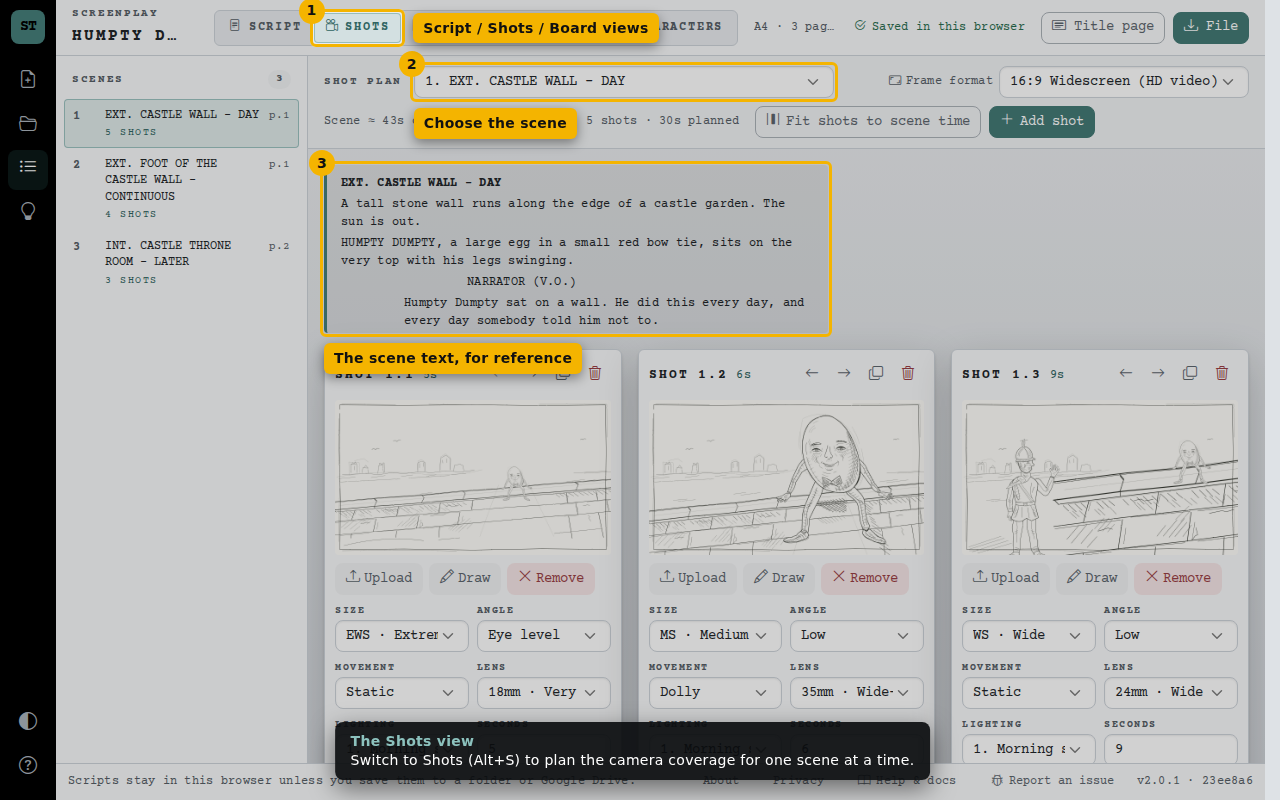
- Script / Shots / Board views
- Choose the scene
- The scene text, for reference
Add shots and frames
Each shot card has a frame, shot details (size, angle, movement and an optional lens) and a duration. Upload a picture or draw a quick sketch.
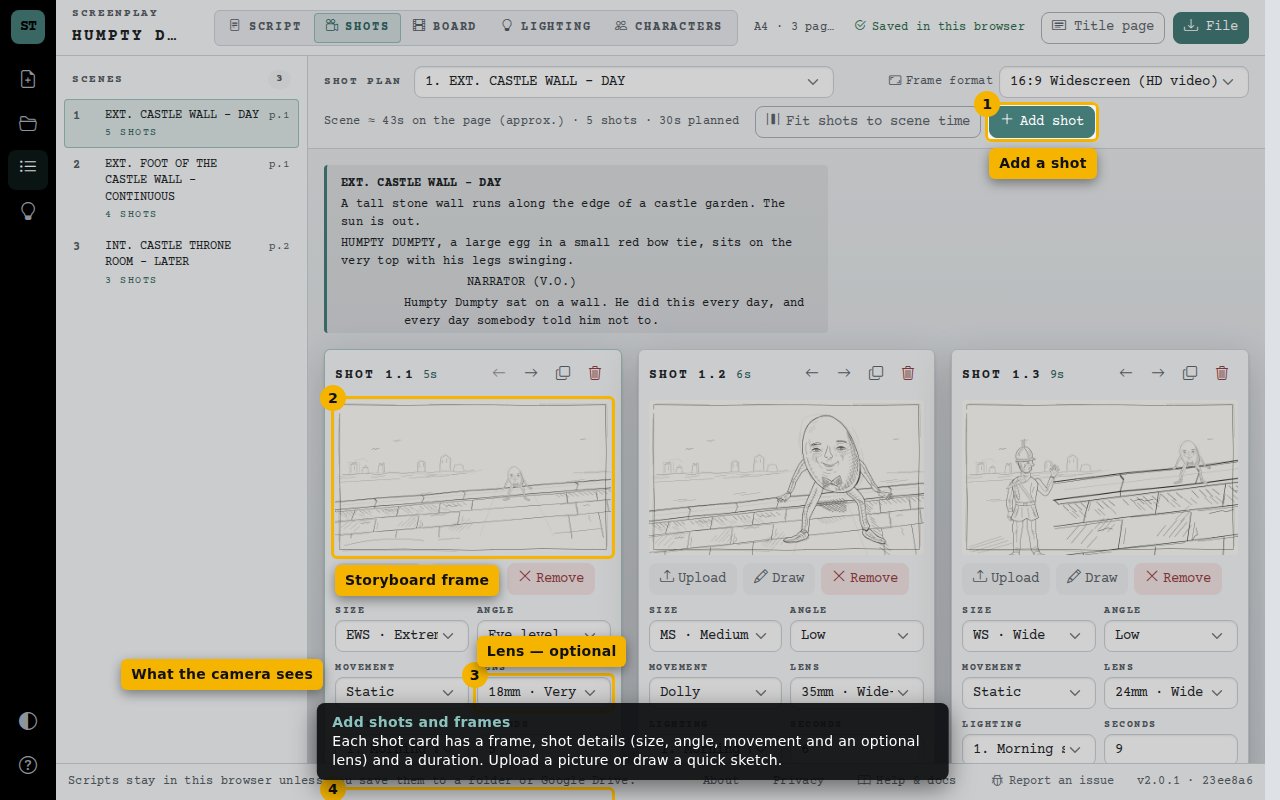
- Add a shot
- Storyboard frame
- Lens — optional
- What the camera sees
Sketch a frame
Start with an existing frame or a blank canvas. A simple arrow can explain the camera move. Save applies your changes; cancel keeps the original sample frame.
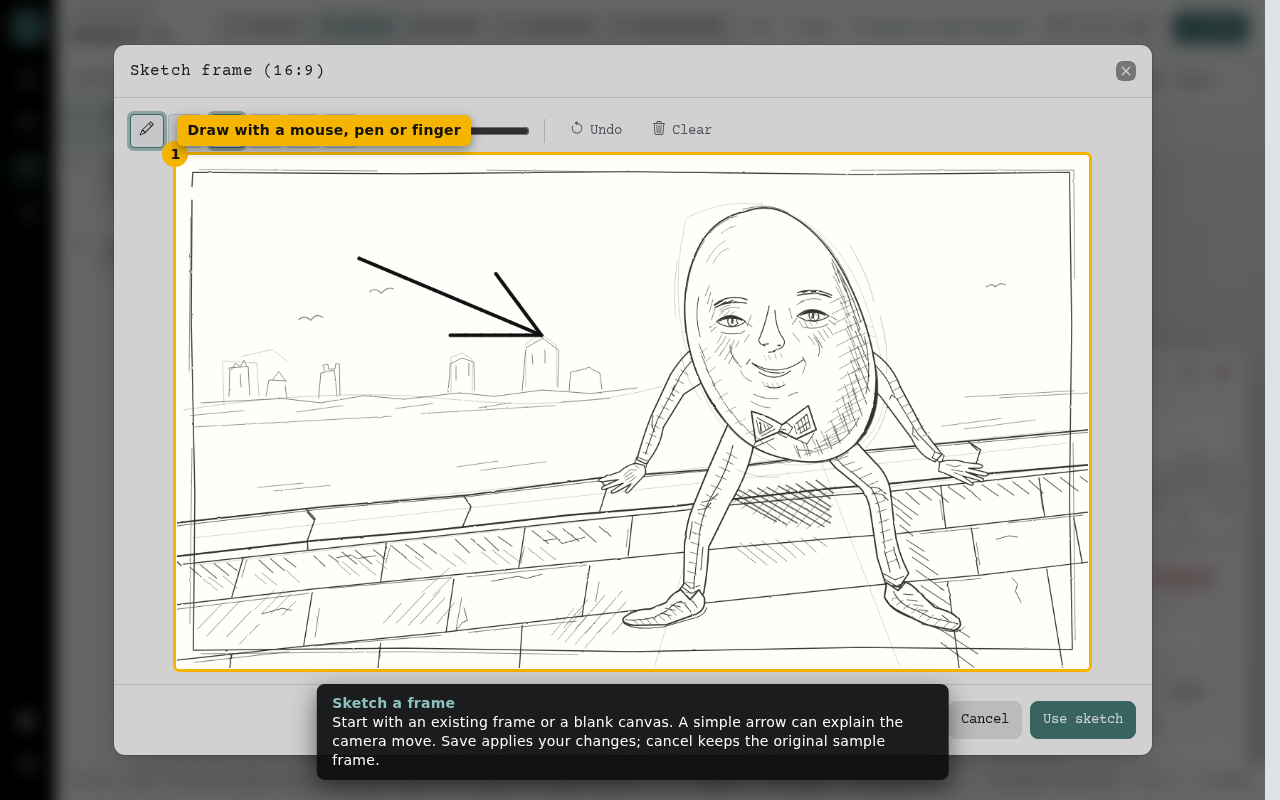
- Draw with a mouse, pen or finger