Plan your characters
Give every character a profile with a portrait, traits, motivation and conflicts, connect them, and see the relationship map.
The Characters view
Switch to Characters (Alt+C). Everyone who speaks in your script is listed automatically, in order of appearance.
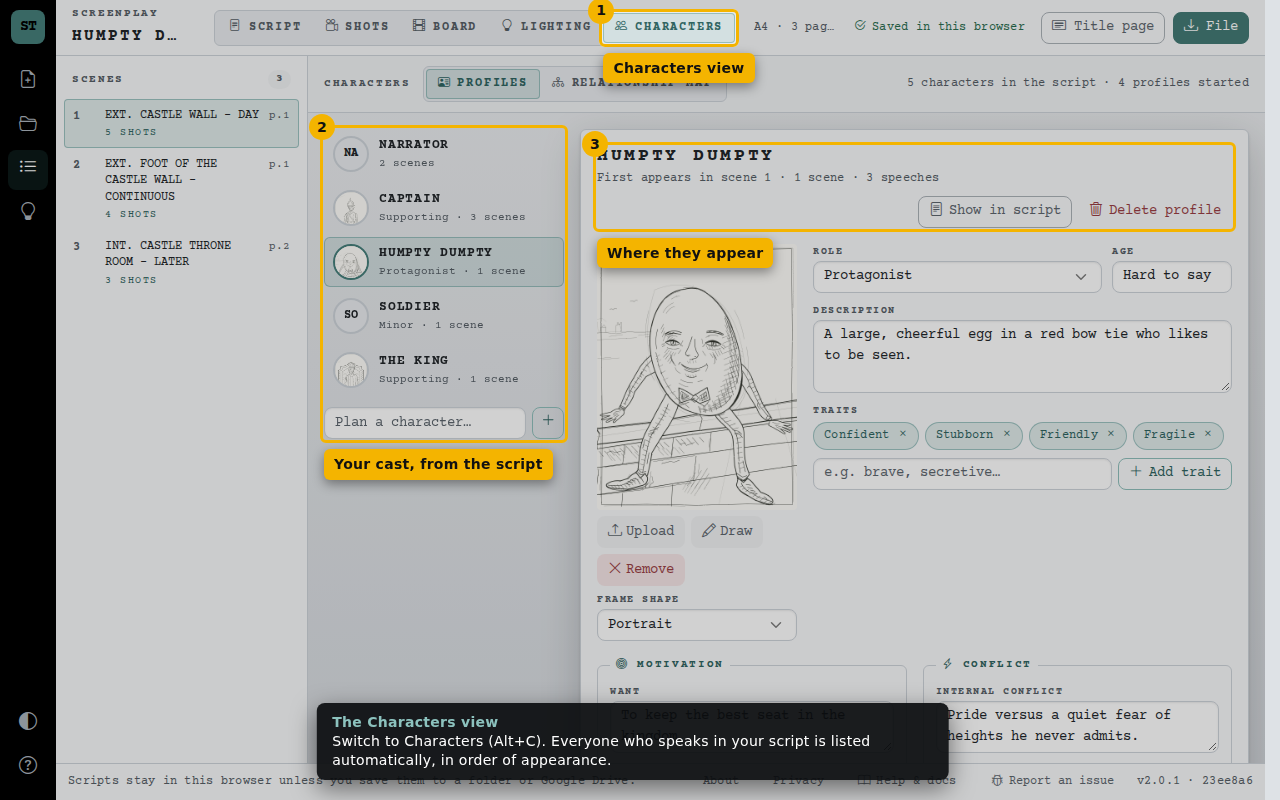
- Characters view
- Your cast, from the script
- Where they appear
Build a profile
Humpty’s sample profile includes a portrait, role, traits and a short description. Upload or draw your own portrait in a portrait, square or landscape frame. Every field is optional and nothing here changes your script.
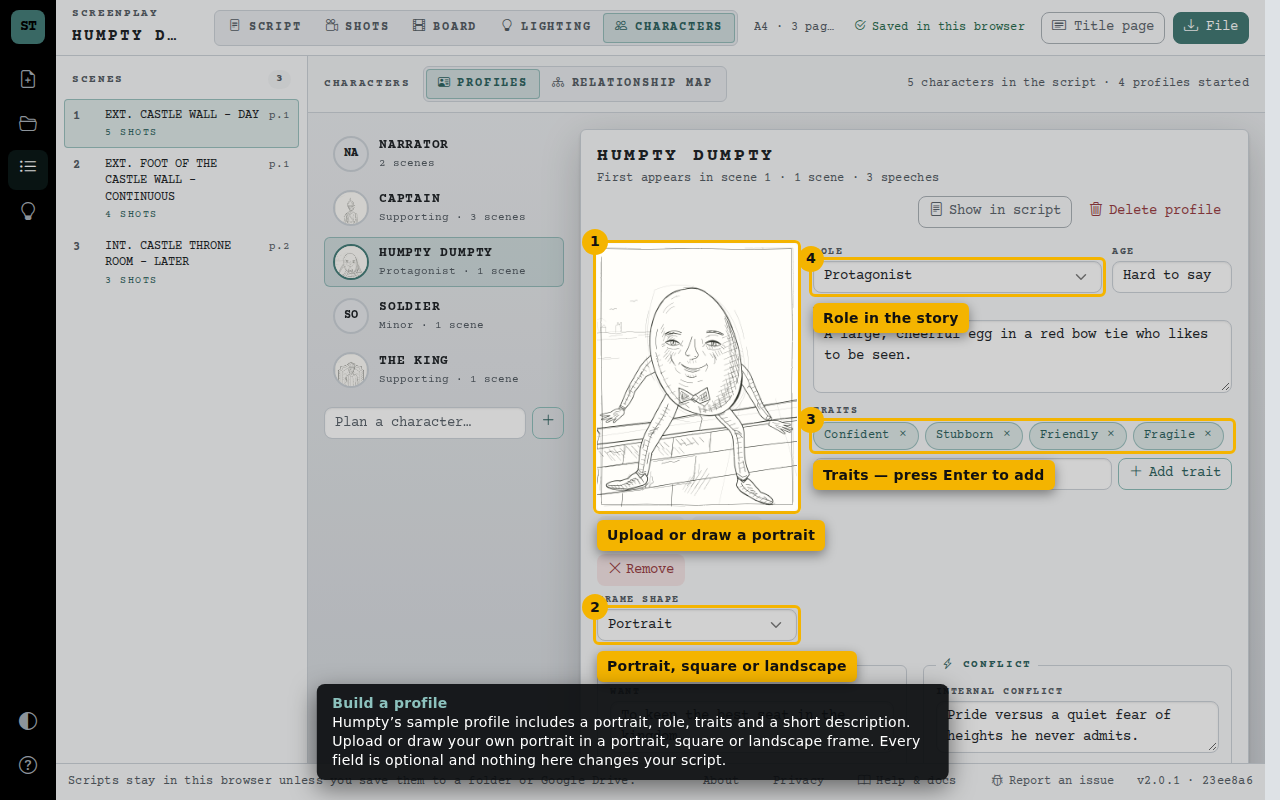
- Upload or draw a portrait
- Portrait, square or landscape
- Traits — press Enter to add
- Role in the story
Motivation, conflict and relationships
Note what they want, what they need and what stands in their way, then connect them to other characters. The Captain’s sample profile shows her friendship with Humpty and her duty to the King.
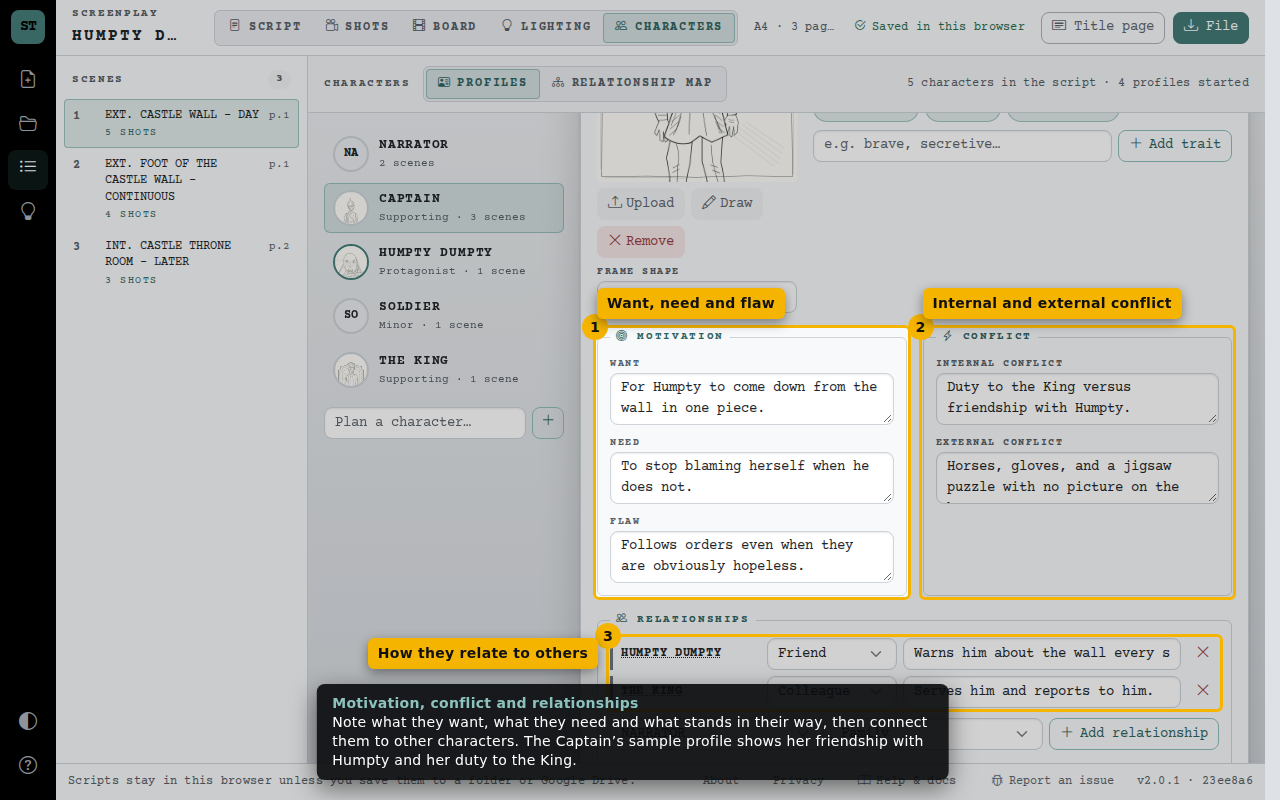
- Want, need and flaw
- Internal and external conflict
- How they relate to others
Sketch a portrait
The portrait canvas is taller than a storyboard frame. Start from the existing portrait or clear it to draw your own. Save applies your changes; cancel keeps the original.
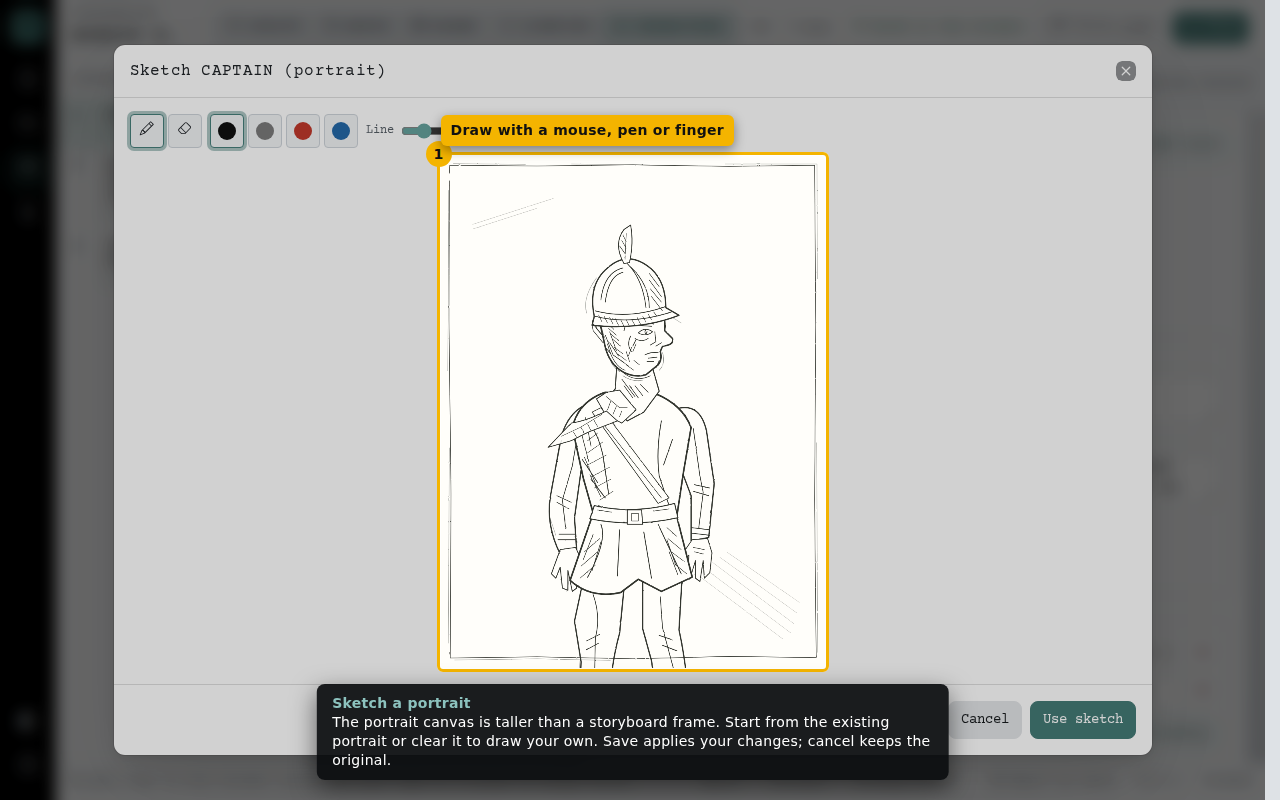
- Draw with a mouse, pen or finger
The relationship map
See everyone at once. Lines show each relationship; dashed lines mark conflict. Select a character to open their profile.
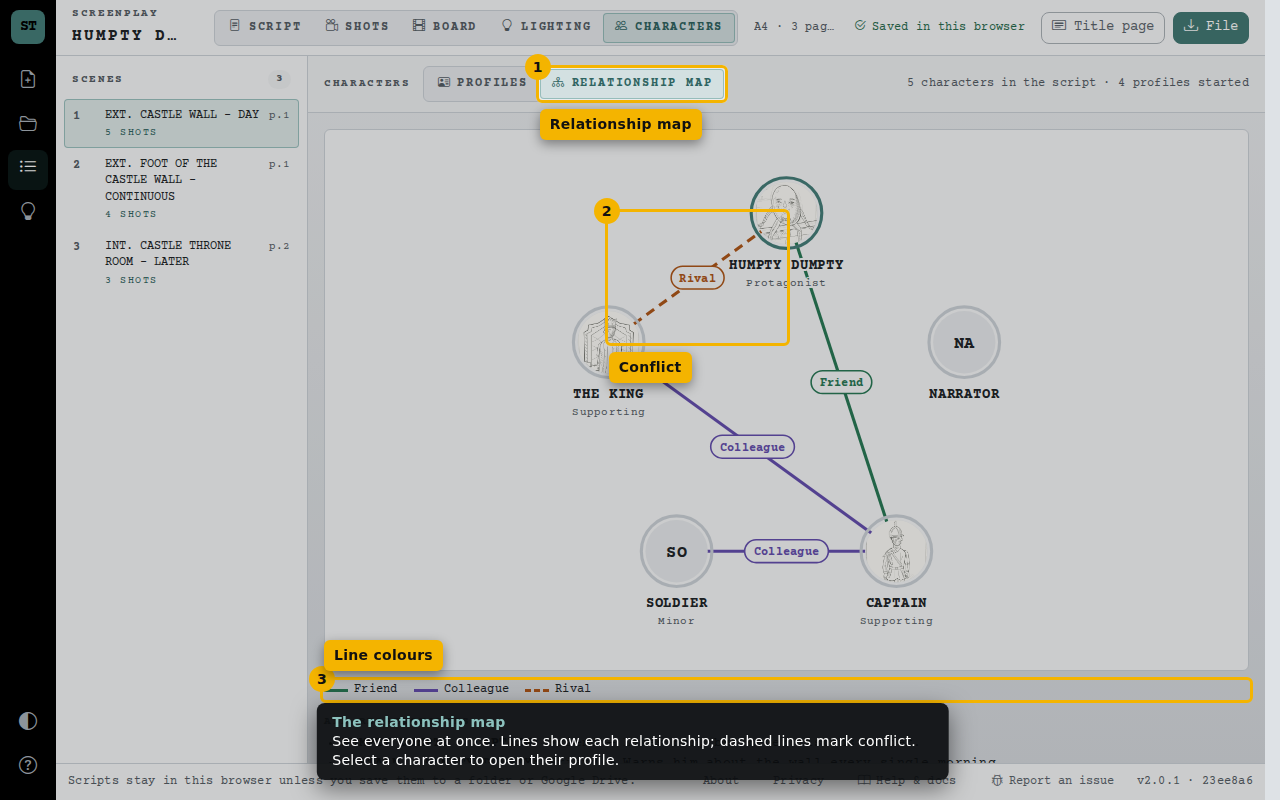
- Relationship map
- Conflict
- Line colours