Plan your lighting
Plan the lighting for each scene like an overhead lighting diagram: place the camera, actors and lights, note what motivates each light, add a reference image, and link shots to the set-up.
The Lighting view
Switch to Lighting (Alt+L). Each scene can have one or more lighting set-ups. The sample’s throne room is lit by a cool window and warm candles.
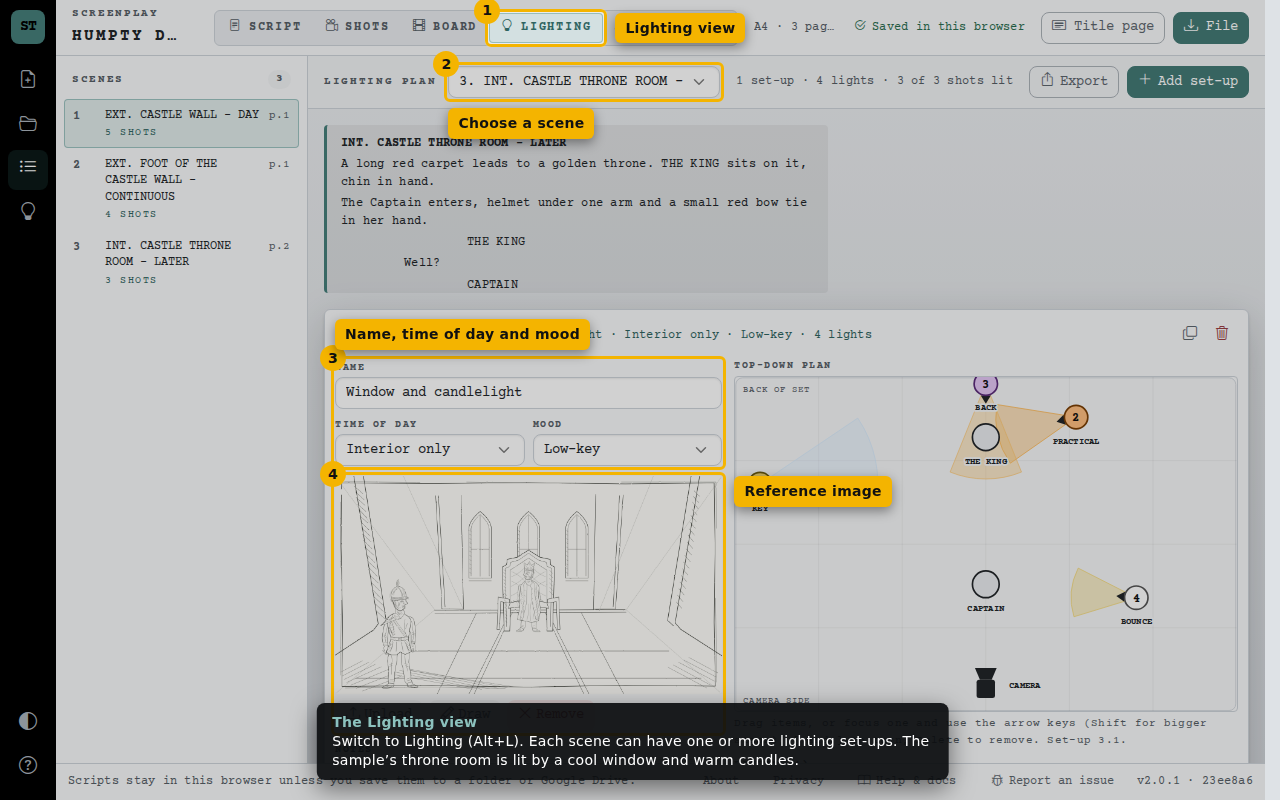
- Lighting view
- Choose a scene
- Name, time of day and mood
- Reference image
The overhead plan
Seen from above with the camera at the bottom. Drag the camera, actors and lights into place, or focus one and use the arrow keys; [ and ] turn a light. Beams show where each light points.
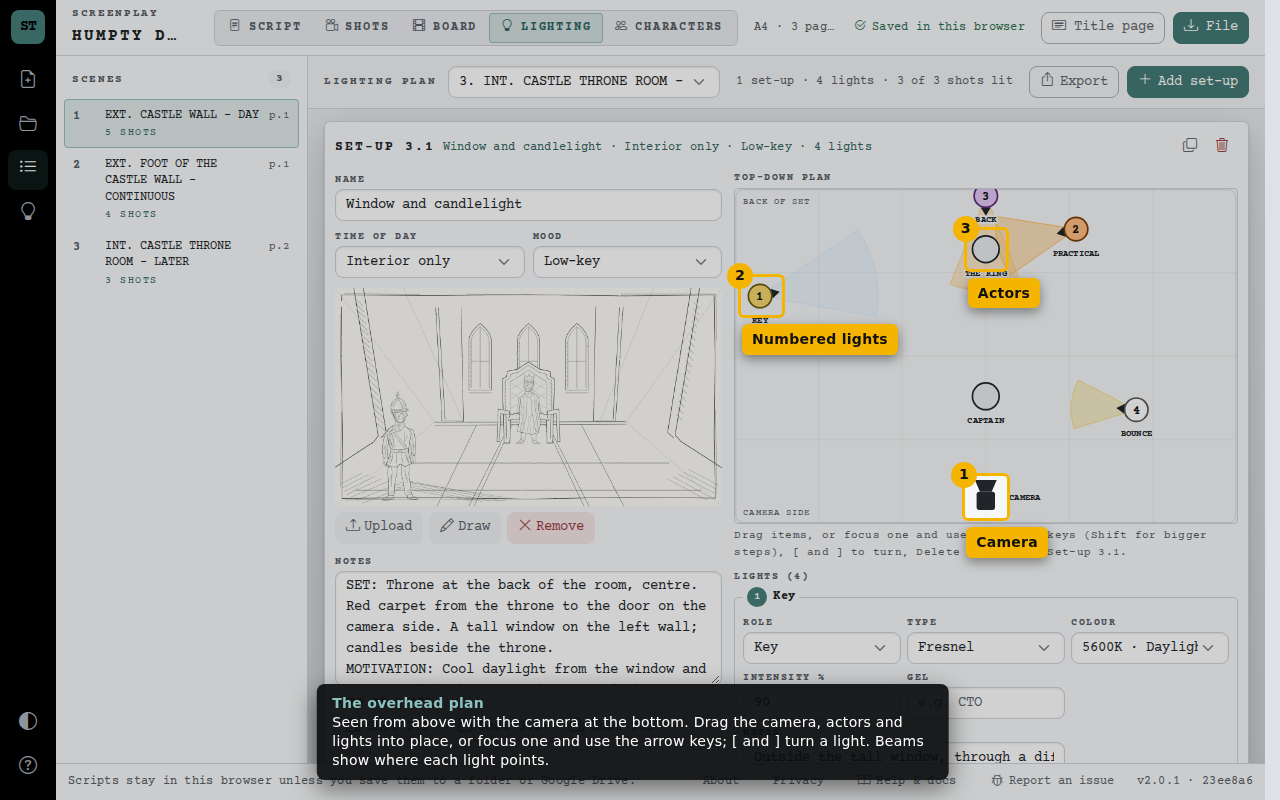
- Camera
- Numbered lights
- Actors
What each light does
For every light, choose its role, type, colour temperature and level, add a gel, and note how it is modified, rigged and powered. The notes record the set, what motivates the light, power and the gear list.
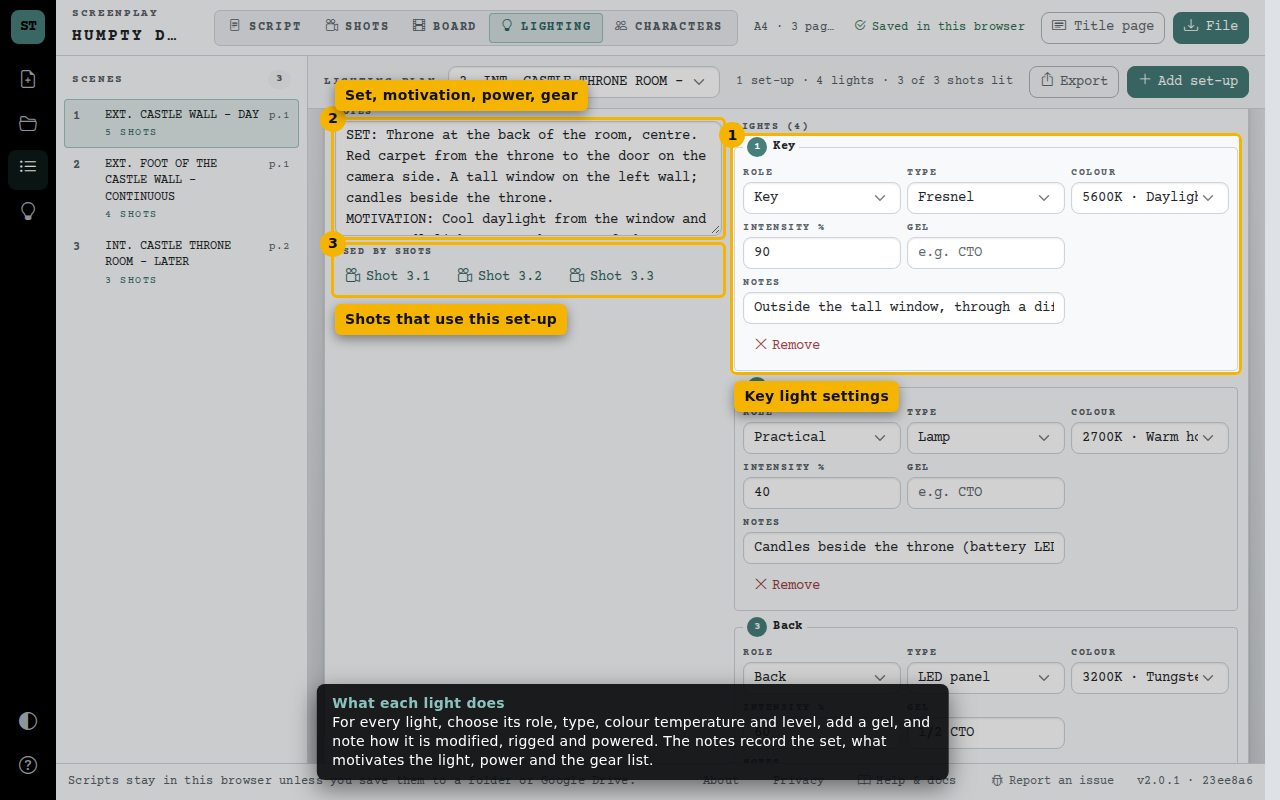
- Key light settings
- Set, motivation, power, gear
- Shots that use this set-up
Print or export
Print a lighting plan for the crew, or download the lights list as a spreadsheet. On the Board, each shot shows the lighting set-up it uses.
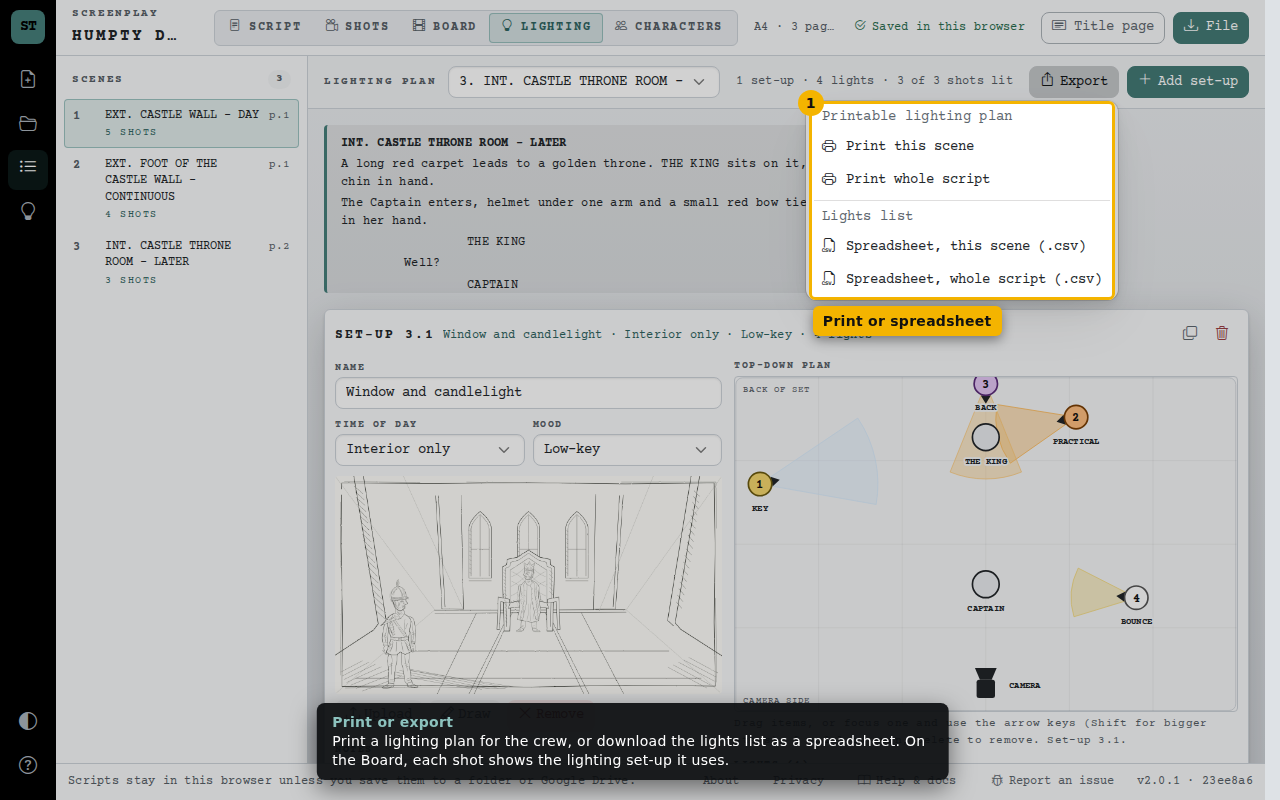
- Print or spreadsheet