Report a problem
Email a bug report to the StageType maintainer, with screenshots if you like. No account is needed, and your writing is never included.
Report an issue
The Report an issue button is at the bottom of every screen.
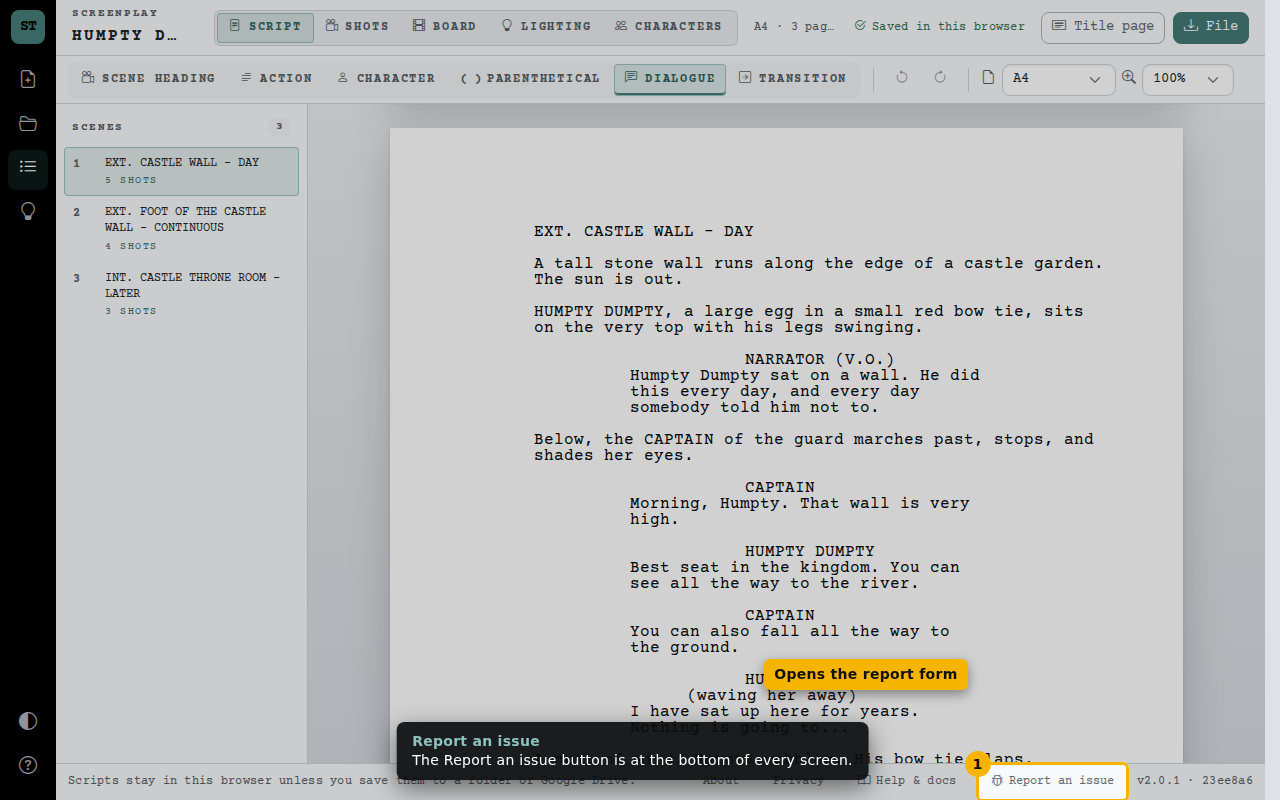
- Opens the report form
Add screenshots
Paste a screenshot with Ctrl+V, drop image files on the form, or choose them. Check they don’t show your script or personal details.
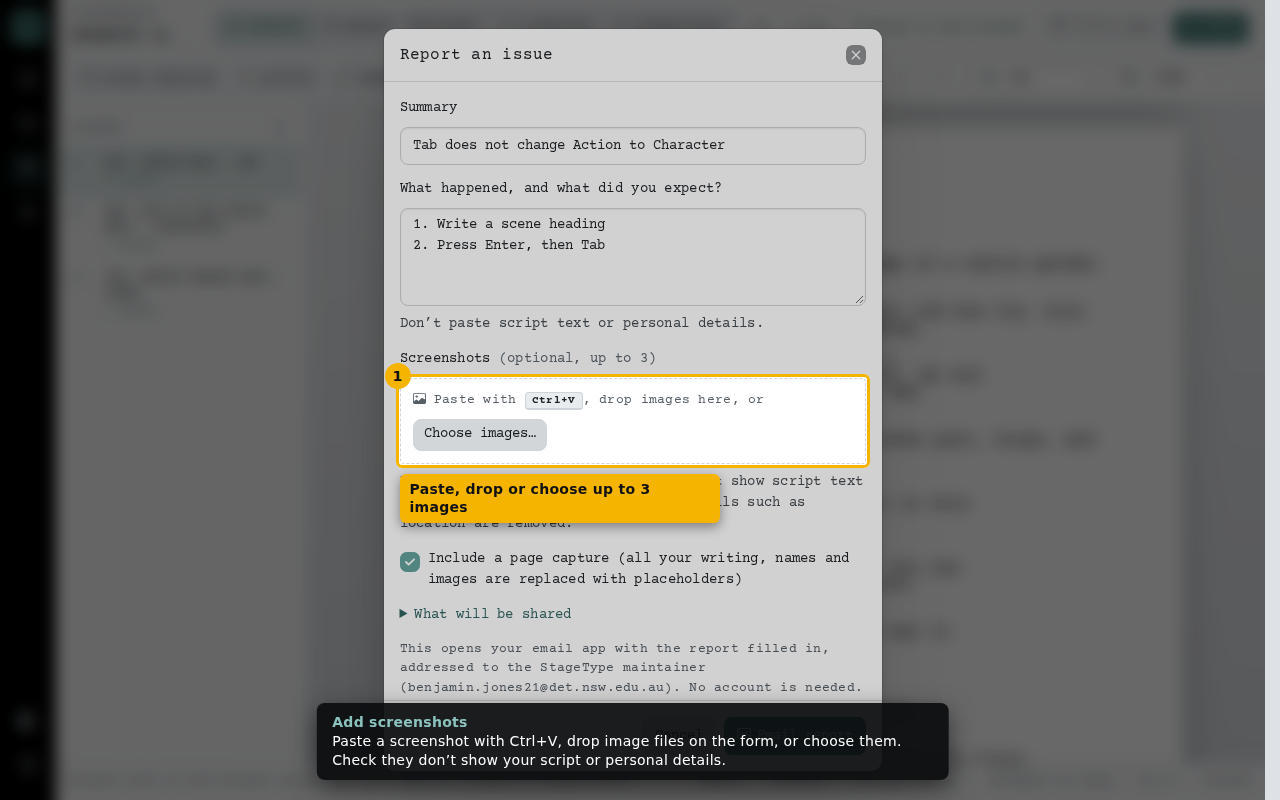
- Paste, drop or choose up to 3 images
- Remove any image before sending
What gets shared
Email report opens your email app with the report filled in. Technical details use browser major versions and error categories, not full user-agent strings or error messages. Screenshots and the optional page capture, which replaces all your writing, names and images with placeholders and cannot make network requests, are saved as one .zip file to attach.
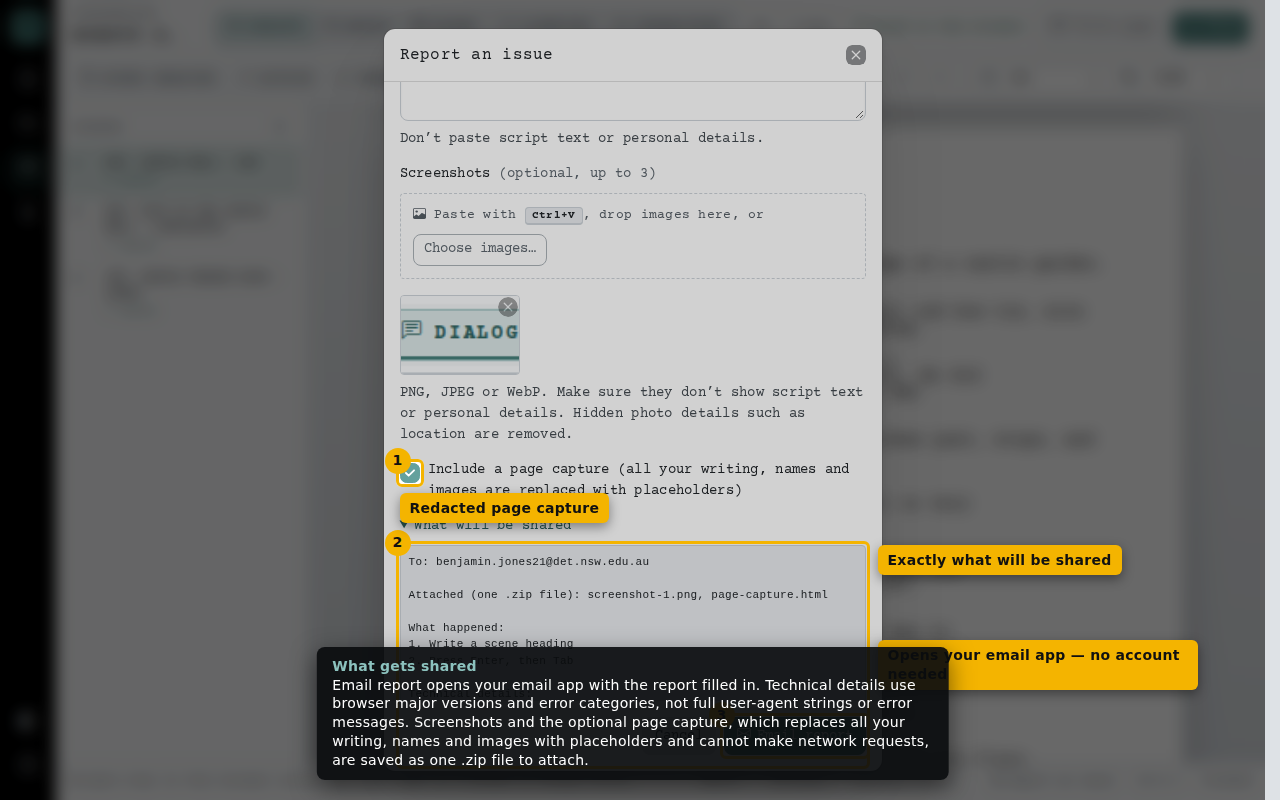
- Redacted page capture
- Exactly what will be shared
- Opens your email app — no account needed