Save and open projects
Keep a project folder on your computer or in Google Drive that stays up to date as you write, and open it anywhere.
The File menu
Scripts always save in this browser. For a copy you can take anywhere, save a project folder or connect Google Drive.
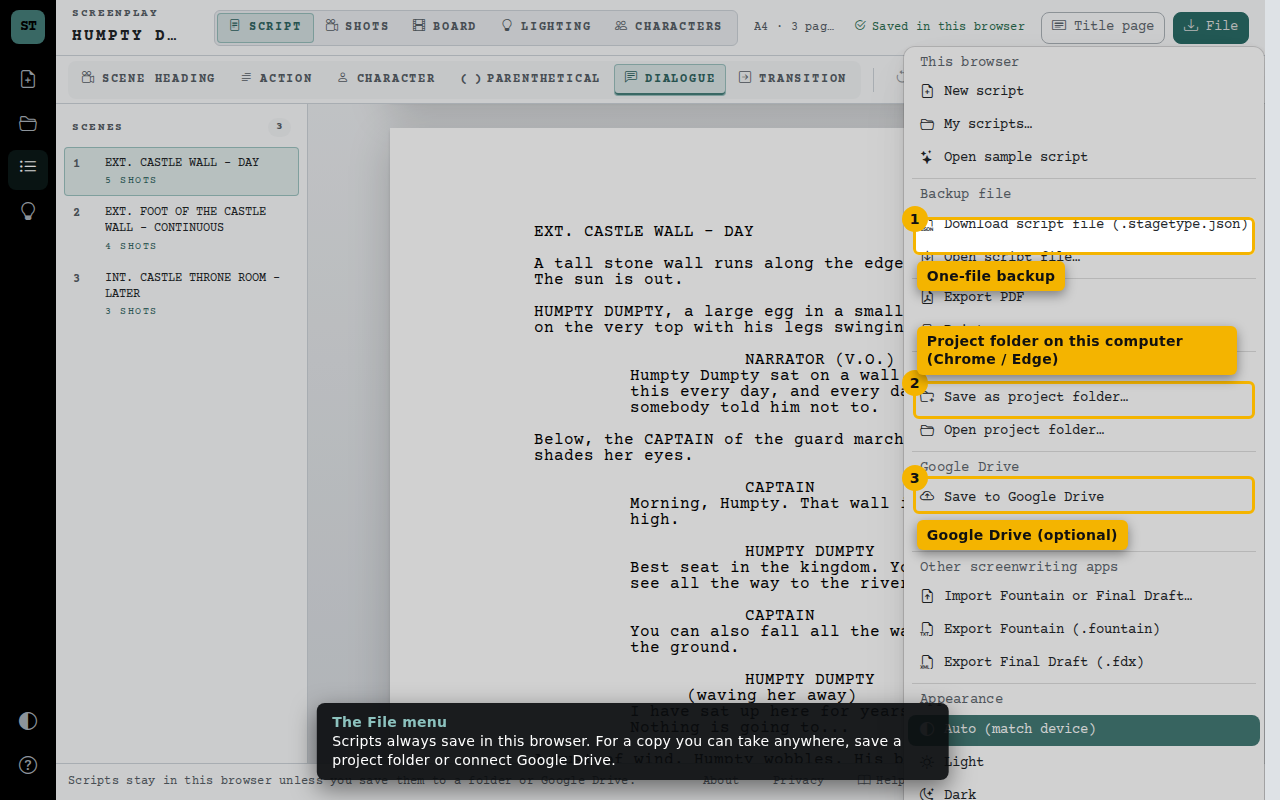
- One-file backup
- Project folder on this computer (Chrome / Edge)
- Google Drive (optional)
Automatic sync
Once a project is linked, changes save in the browser first and then sync automatically.
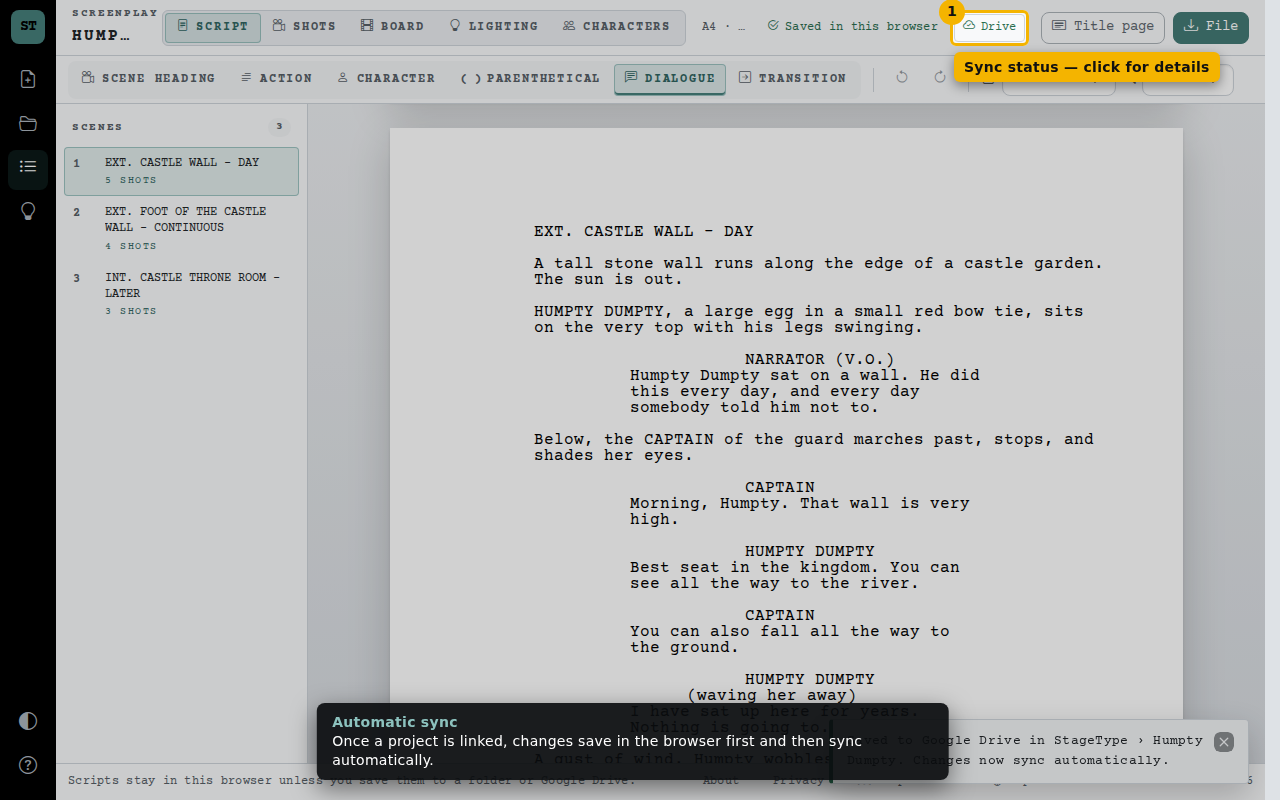
- Sync status — click for details
Project details
See where the project lives, sync now, or stop syncing. If the project was changed elsewhere you choose which version to keep.
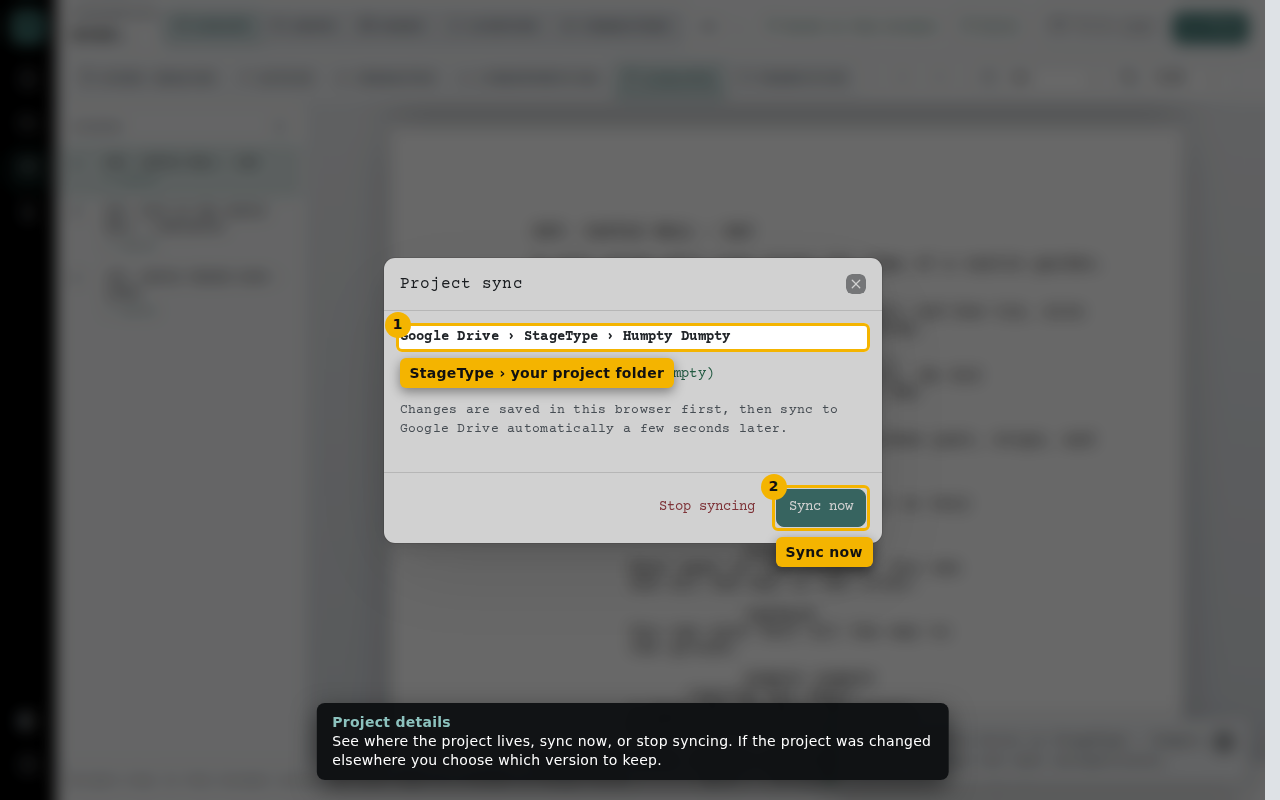
- StageType › your project folder
- Sync now