Storyboard and animatic
See every shot as a storyboard in the frame format you choose, play it as a timed animatic, export a GIF, MP4 or shot list, and print a storyboard grid on A4 or A3.
The storyboard
Board view (Alt+B) shows every shot in order with its timing.
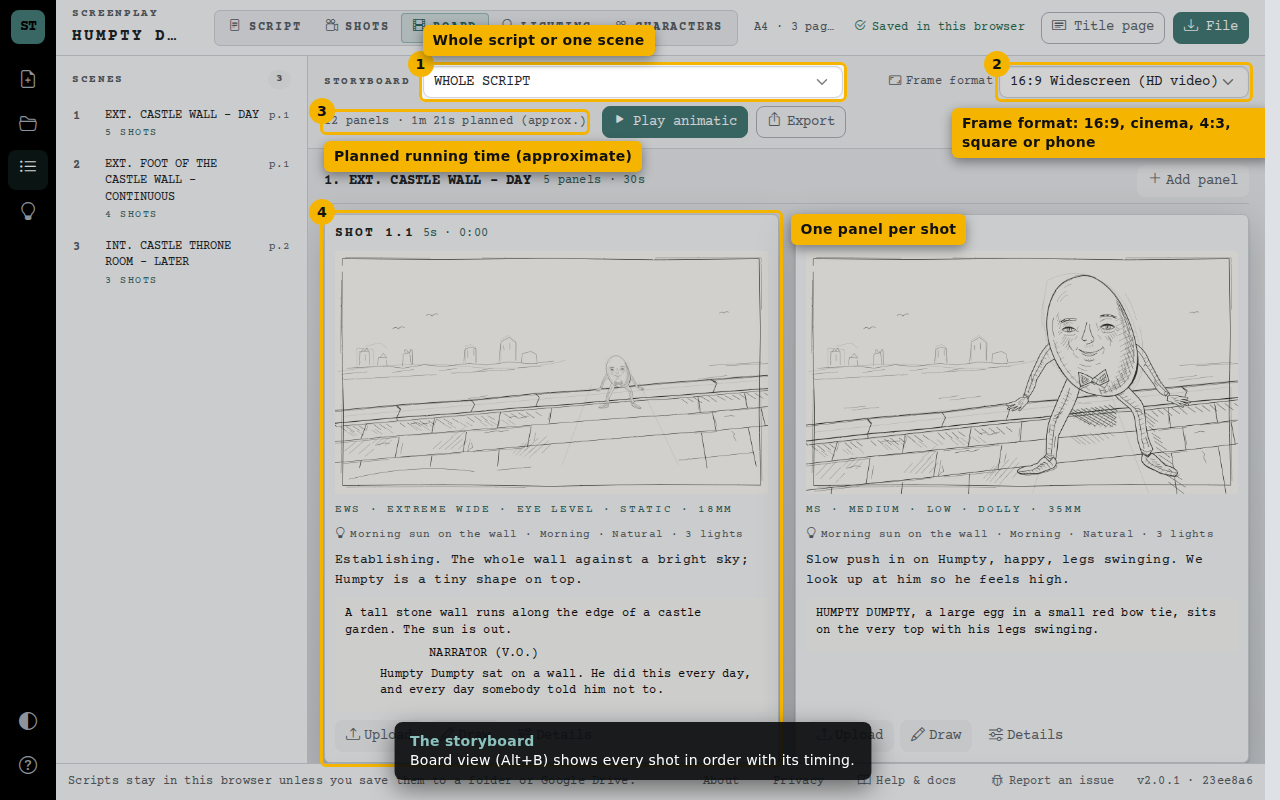
- Whole script or one scene
- Frame format: 16:9, cinema, 4:3, square or phone
- Planned running time (approximate)
- One panel per shot
Play the animatic
Each storyboard picture fills the screen for its planned seconds, like a rough cut. The scene heading appears at the start of each scene, and dialogue runs as closed captions along the bottom — exactly what the GIF and MP4 exports look like.
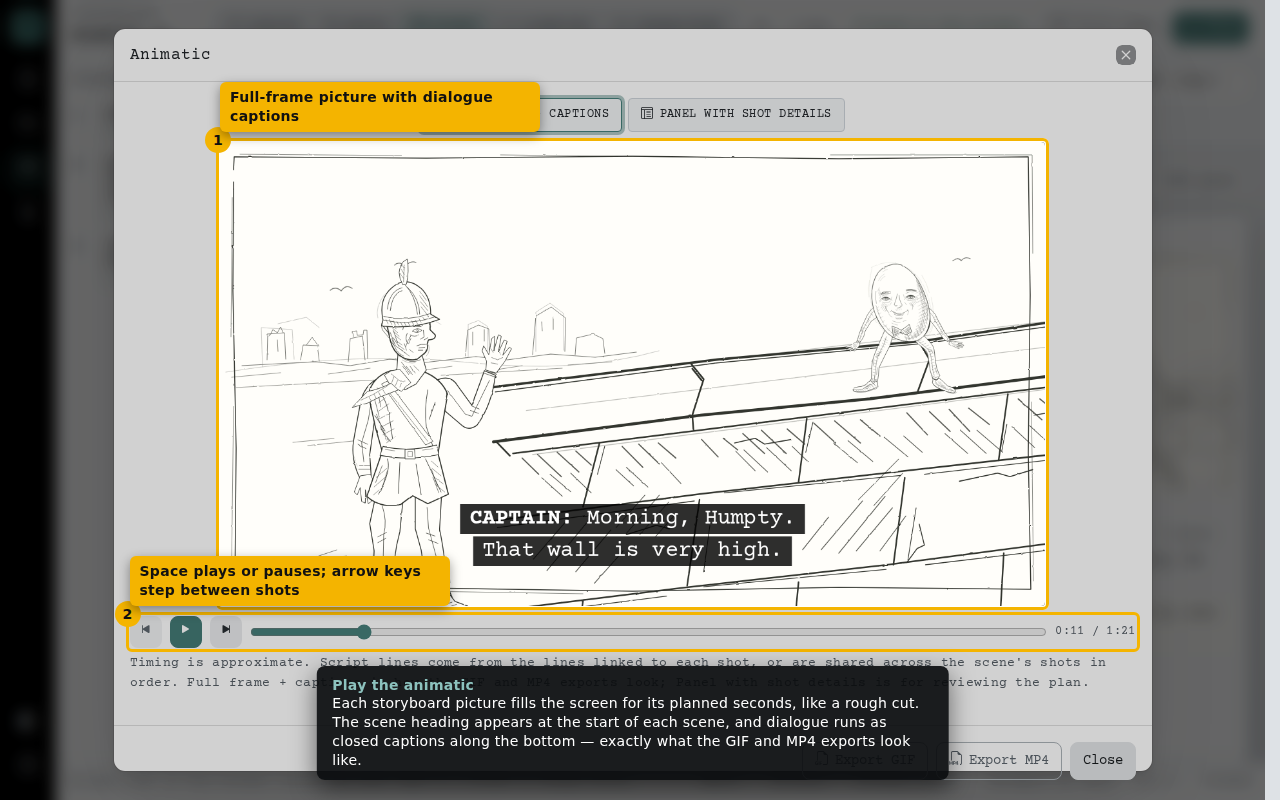
- Full-frame picture with dialogue captions
- Space plays or pauses; arrow keys step between shots
Review shot details
Switch to Panel with shot details to check each shot’s size, angle, movement, lens, description and script lines while you plan.
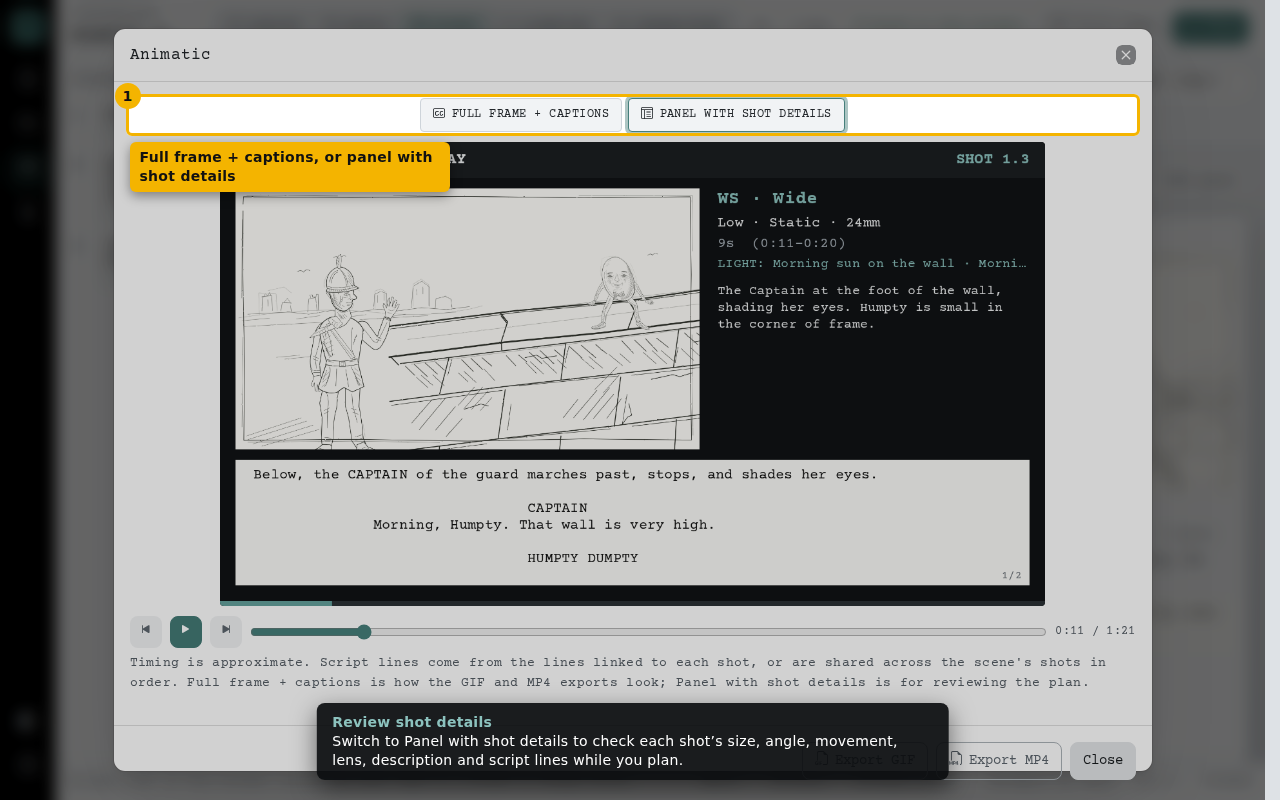
- Full frame + captions, or panel with shot details
Export
Export the storyboard as an MP4 video or animated GIF: full-frame pictures, each held for its seconds, with dialogue as closed captions. You can also print a storyboard grid or save the shot list as a spreadsheet.
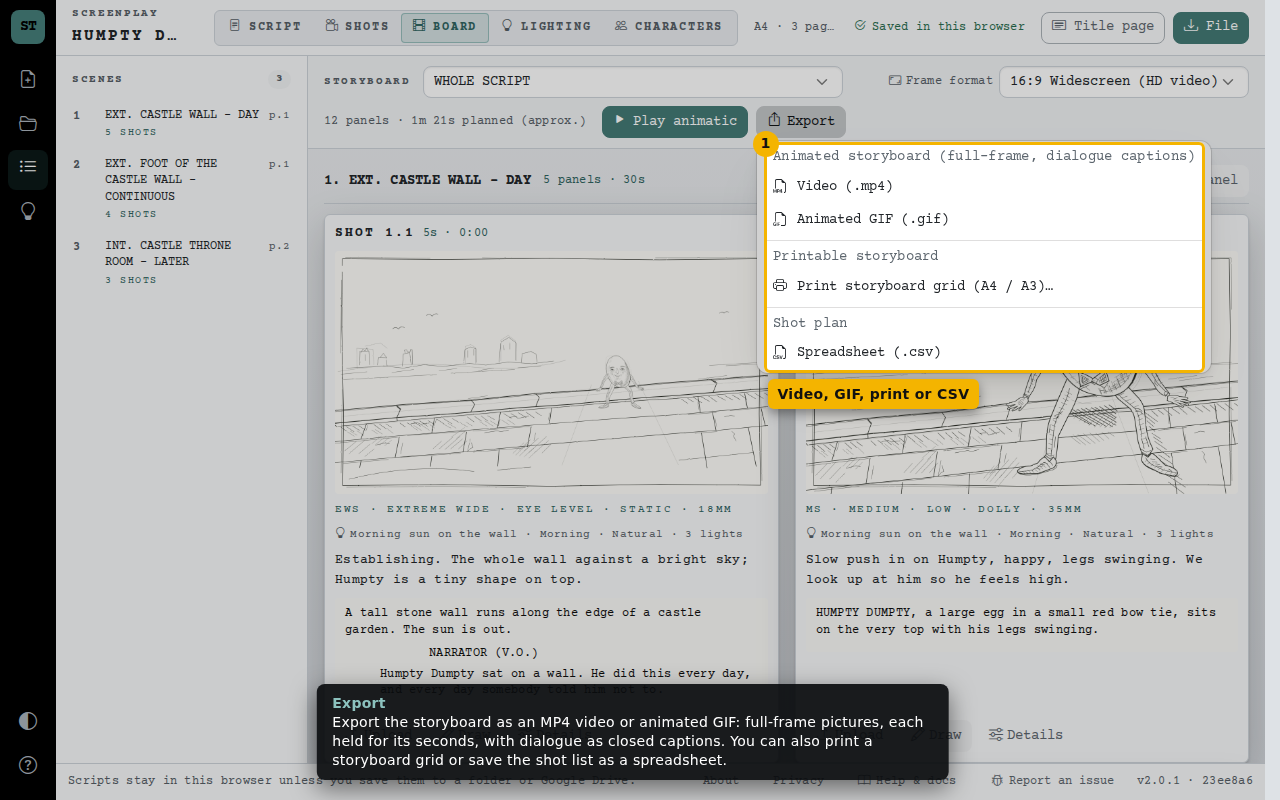
- Video, GIF, print or CSV
Print a storyboard grid
Choose A4 or A3 paper and the orientation. Each panel prints with its frame, shot details and script lines; the screenplay prints separately.
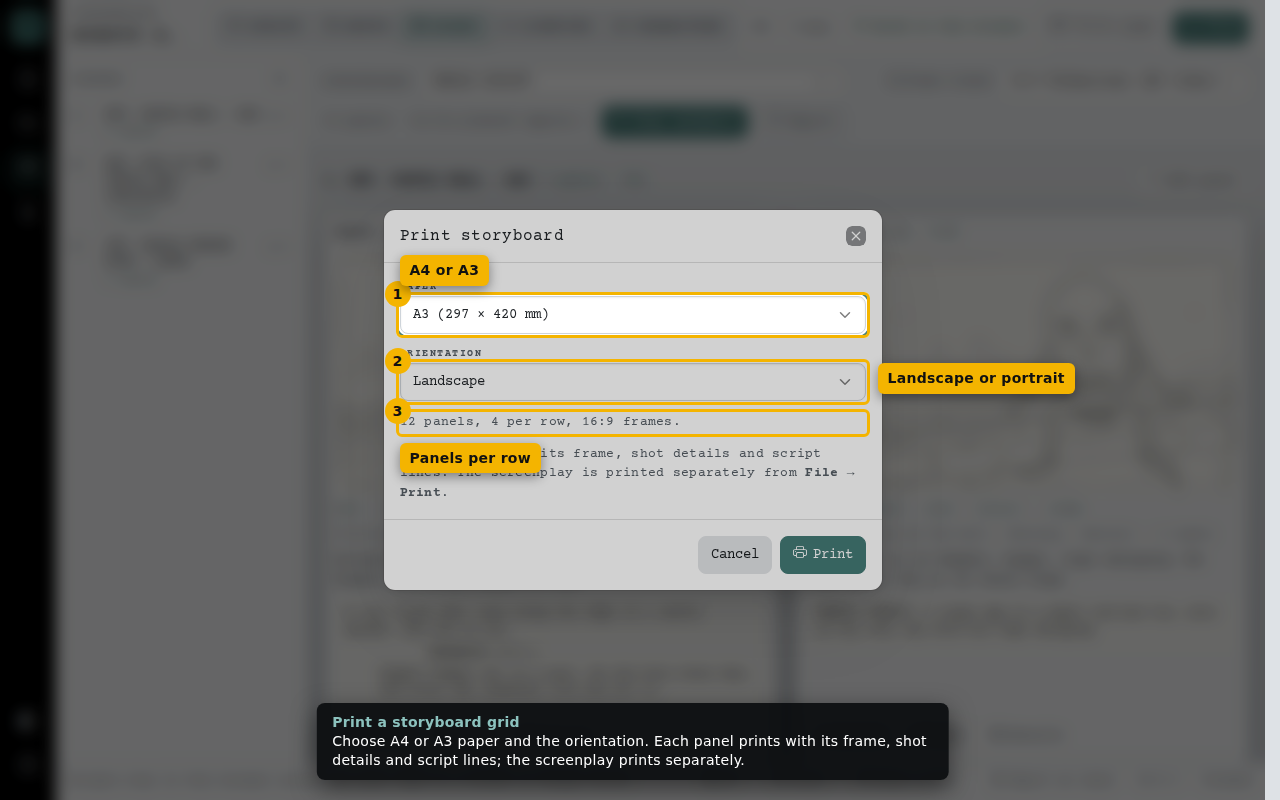
- A4 or A3
- Landscape or portrait
- Panels per row
Frame formats
Pick the shape of your frames, including 9:16 vertical for phone videos. Existing images are kept and fitted, and the animatic and video exports follow the format.
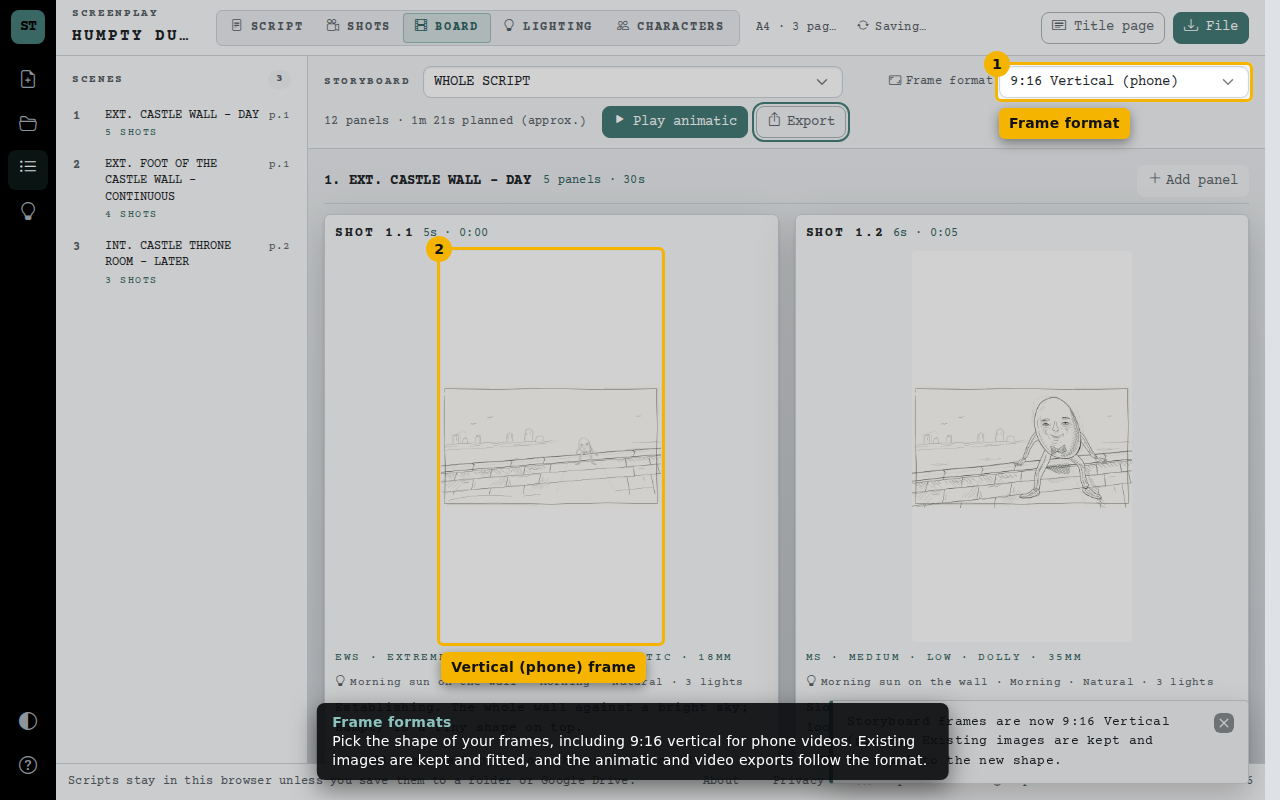
- Frame format
- Vertical (phone) frame