Title page, paper size and PDF
Fill in the title page, choose A4 or US Letter, zoom the page without changing the printed layout, and export a submission-ready PDF.
Title page details
Open Title page to add the script title and writer. The sample shows a completed title page; contact details are optional.
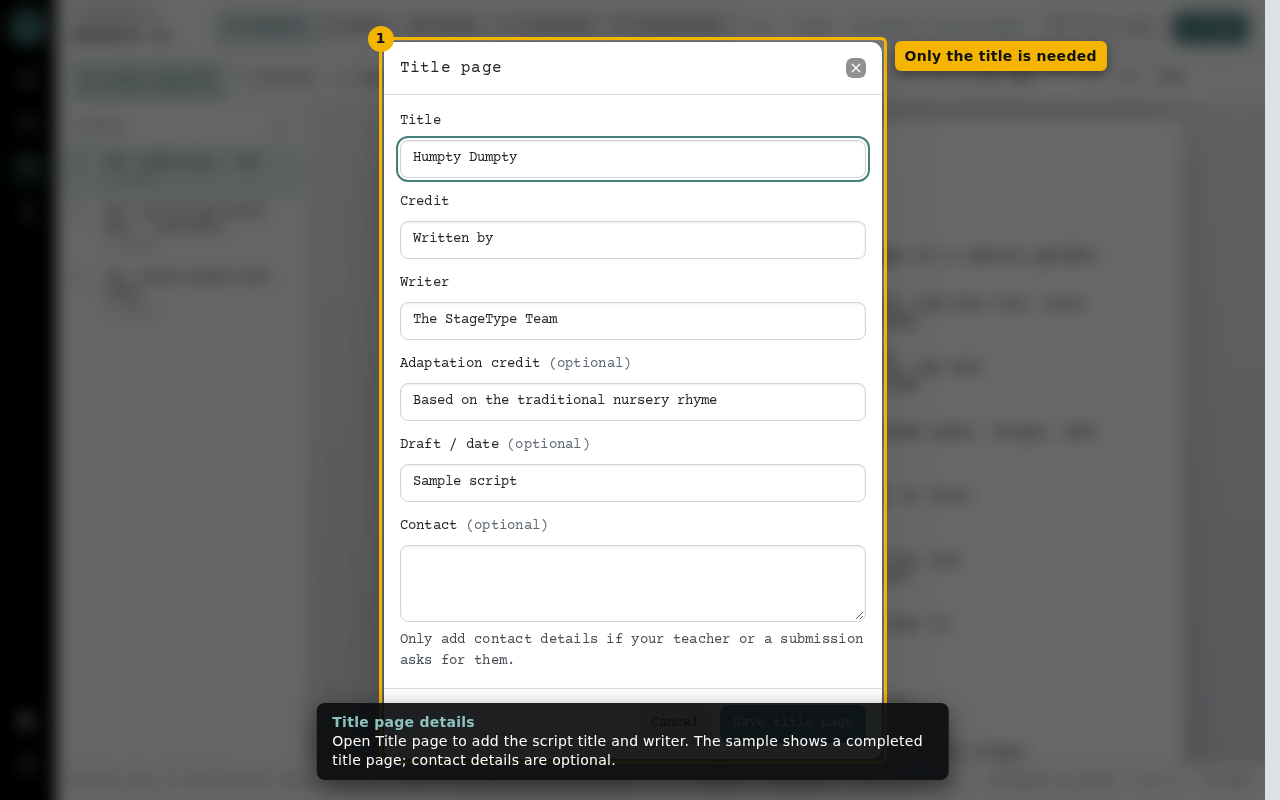
- Only the title is needed
Paper size and zoom
New scripts use A4. Switch to US Letter if your submission asks for it. Zoom only changes the screen view.
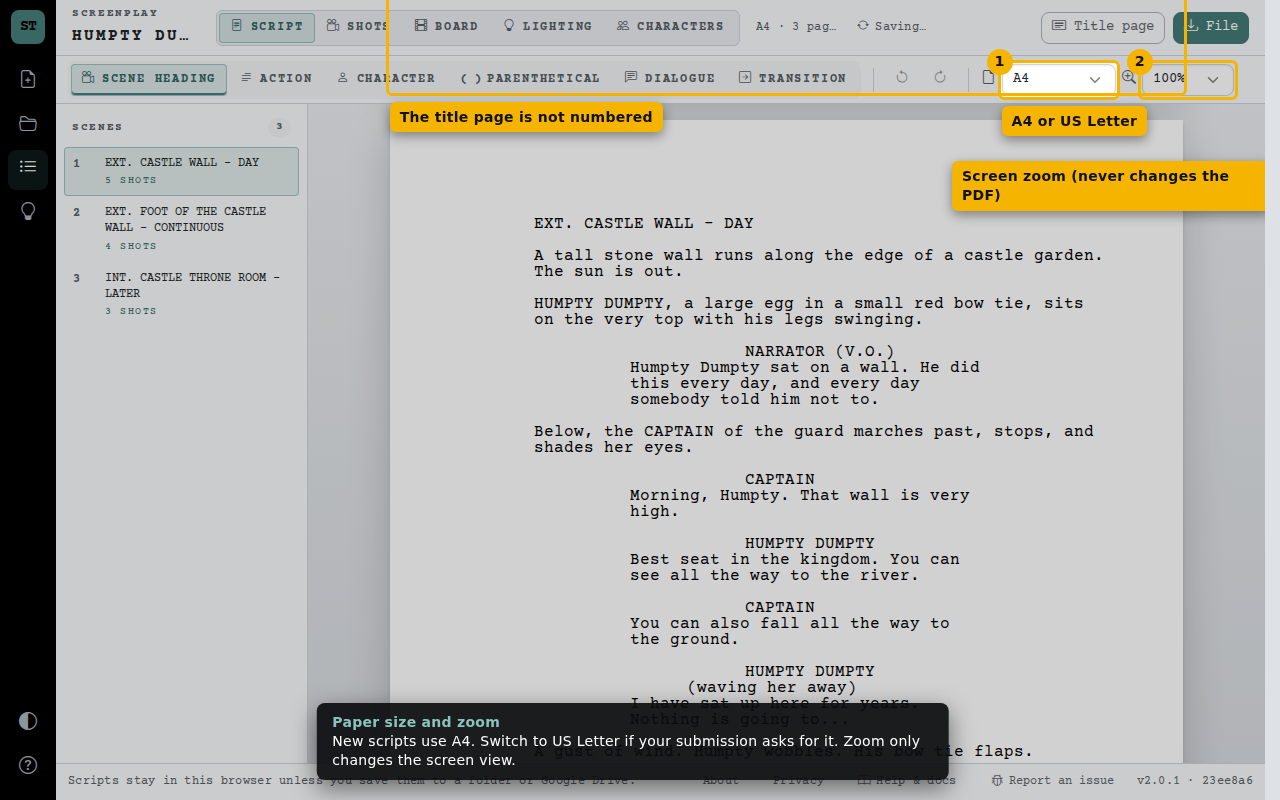
- A4 or US Letter
- Screen zoom (never changes the PDF)
- The title page is not numbered
Export a PDF
File › Export PDF saves the screenplay with the same page breaks as the editor, Courier Prime embedded and selectable text. The title page and page 1 are unnumbered; numbers start on page 2.
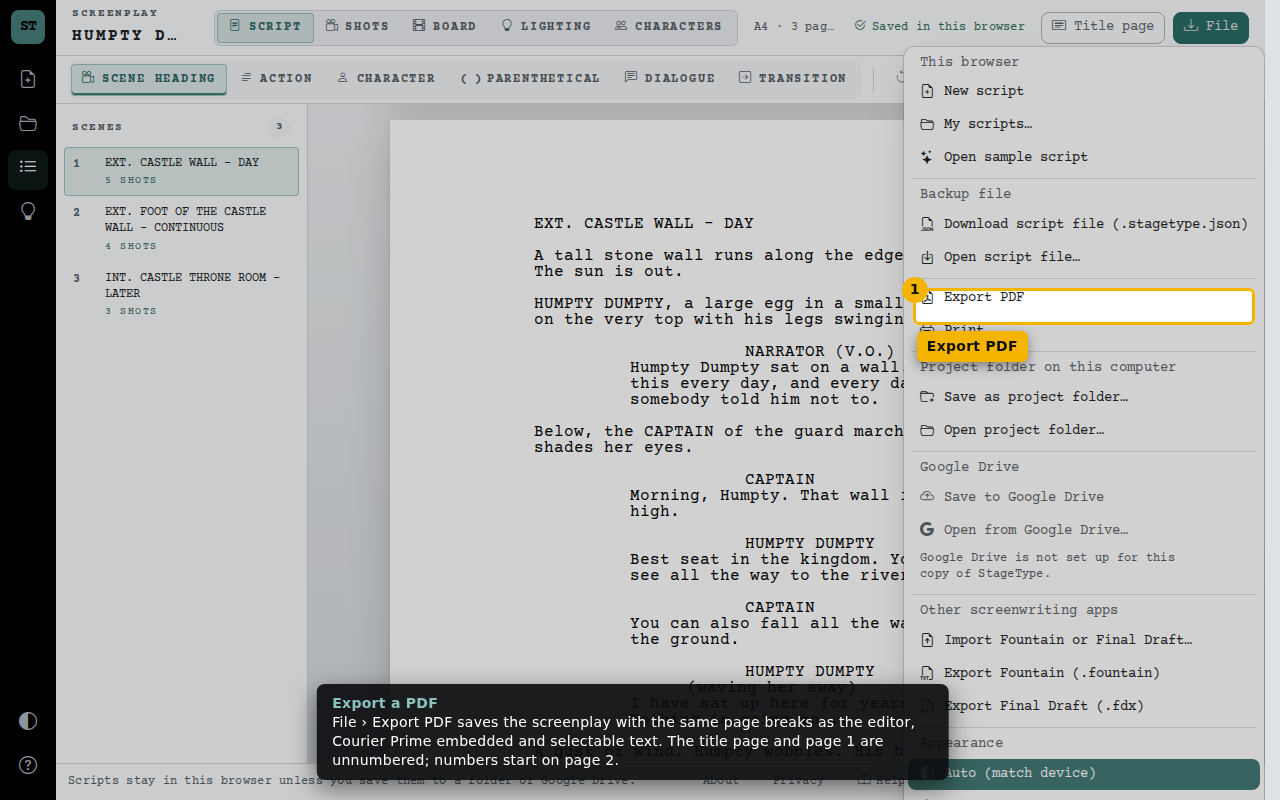
- Export PDF